Finding inactive Instagram followers is about identifying the accounts that just aren't interacting with your content. You know the ones — no profile picture, following thousands of people, or haven't posted since 2018. It's a strategic cleanup, not a vanity purge, so your content actually reaches the people who want to see it.
It’s a classic story for growing accounts. The follower count goes up, but the likes and comments just... don't. It can feel like you're shouting into the void. This gap is almost always caused by inactive or "ghost" followers, and they're doing more than just padding your numbers — they are actively hurting your reach.
When you share a post, the Instagram algorithm tests the waters by showing it to a small slice of your audience. If that initial group eats it up with likes and comments, the algorithm pushes it out to more people.
But what happens if that sample group is full of ghosts? You get crickets. This low initial engagement tells the algorithm your content is a dud, so it slams the brakes on distribution, hiding it from the rest of your active followers.
Not all silent followers are created equal. Figuring out what you're up against is the first step toward getting your account's health back on track. They usually fall into a few key buckets.
To help you spot them, here's a breakdown of the usual suspects and the damage they do.
| Follower Type | Characteristics | Impact on Your Account |
|---|---|---|
| Bots and Spam Accounts | Automated profiles, often with generic usernames, no posts, and thousands of followings. | They will never engage, which lowers your engagement rate and signals poor content quality to the algorithm. |
| Abandoned Profiles | Real user accounts that have been deserted; the owner may have a new profile or left Instagram. | These accounts are dead weight. They'll never see your content, contributing to the low initial engagement that kills your reach. |
| Mass Followers | Users who follow thousands of accounts, hoping for follow-backs. Their feeds are too crowded to ever see your posts. | Although they are real people, their feeds are so diluted that your content is invisible, making them effectively inactive. |
Knowing the difference helps you understand that this isn't just about bots; it's about audience quality.
A follower cleanup isn't about vanity metrics or seeing your numbers go down. It's a strategic move to fix your engagement-to-follower ratio, which is a massive health signal for the Instagram algorithm.
The damage these accounts cause is measurable. Accounts with 25% or more suspicious or dormant followers often get engagement rates below 1.5%, no matter how good their content is.
For an account with 10,000 followers, having 2,500 of them be inactive means every single post is fighting an uphill battle from the second you hit "Share."
Inactive followers don't like, comment, share, or save your content. Every one of them is a vote of no-confidence to the algorithm. If you want to dive deeper, you can learn more about the impact of fake followers and the ways they tank your metrics.
At the end of the day, a smaller, highly engaged audience is infinitely more valuable than a huge, silent one. Clearing out the ghosts ensures your hard work reaches the people who actually care, leading to better analytics, a stronger community, and real, sustainable growth.
Before you start hunting for inactive followers, you have to decide what "inactive" actually means for your brand. There’s no universal rule here. Every audience behaves differently. What signals inactivity for a daily news account is just business as usual for a brand that only posts once a week.
Setting your own rules stops you from accidentally booting a "quiet lurker"—someone who sees your content but rarely engages—when you really mean to remove a true ghost follower who brings zero value. A clear, personalized checklist turns a messy job into a precise, strategic audit.
The easiest place to start is with a time-based rule. Most marketers use 90 days as a solid benchmark. If someone hasn't interacted with your content in three months, it's a strong signal they've tuned out.
Adjust based on your own posting schedule. If you're posting multiple times a day, a shorter timeframe like 60 days might make more sense. If your content is more sporadic, stretch that out to 120 days. The goal is to align the timeframe with your content cadence to get a realistic picture.
Time alone isn't enough. A truly effective definition combines time with specific engagement red flags and suspicious profile traits. This multi-factor approach helps you make confident decisions instead of just guessing.
A good checklist blends both behavioral and profile-based signals:
Build a filter that weeds out the genuinely disinterested accounts while protecting the quiet-but-attentive members of your community. Removing the first group will make the second group's voice stronger.
Inactive followers can make up a staggering 30% of an account's audience, with some larger profiles seeing that number jump to 40%. Dive deeper by exploring the full research on ghost followers.
By setting clear, customized criteria upfront, you transform a vague task into a structured process. It ensures that when you start your audit, you’re not just shrinking your follower count — you're boosting your account's long-term health.
If you've got a smaller account or just prefer a hands-on approach, a manual audit is the perfect place to start cleaning up your inactive followers. This method gives you total control, costs nothing, and sharpens your instincts for telling the difference between a real fan and a digital dust bunny.
Head over to your follower list in the Instagram app. Pro tip: don't start at the top. Your newest followers are usually there. Instead, scroll all the way down to the bottom. This is where your oldest followers live — and they're often the most likely to have gone inactive.
As you go through each profile, you’re not just looking for a single red flag. Think of yourself as a detective piecing together clues. One sign might not mean much, but a few of them together paint a clear picture of a ghost follower.
Look for:
Spotting an inactive-looking profile is one half of the puzzle. The other half is confirming they actually ignore your content. Cross-reference your follower list with the people who engage with your recent posts.
Go to one of your last few grid posts and open up the list of likes and comments. Do you see any of the names from the bottom of your follower list there? If someone has been following you for years but hasn't liked even one of your last ten posts, they're invisible to the algorithm.
Removing followers can feel counterintuitive, but it's one of the most effective ways to clean your account. Every inactive follower you remove increases the percentage of active, engaged users in your audience, which is a powerful positive signal to the Instagram algorithm.
If you're managing a larger account, scrolling through thousands of followers manually isn't realistic. You'll need a more scalable approach. Use our online Instagram follower export tool to get follower data into a spreadsheet. Once you have that data, you can apply similar filtering rules to find the ghosts.
Once you’ve confirmed a follower is inactive, tap the "Remove" button next to their name. Do this in small batches — no more than 20-30 per hour — to avoid setting off Instagram's spam detectors.
Manually sifting through followers is fine when you're just starting out. But what happens when you have thousands of followers? That's when a manual audit becomes a soul-crushing, week-long task.
The right tools can turn that manual nightmare into a quick, data-driven process, giving you a clear path to a healthier, more engaged audience.
Your first stop should be Instagram's native analytics tool, Instagram Insights. It won't hand you a list of individual inactive users, but it's fantastic for spotting high-level trends that scream "problem."
Keep an eye on follower churn, track dips in your engagement rate over time, and watch how your reach changes from week to week. A consistently high number of unfollows combined with flatlining engagement is a classic red flag that your audience's health is slipping.
To dig in and get granular, turn to reputable third-party applications. These platforms go beyond Instagram's built-in analytics, offering features designed to audit your audience. They can sort your followers by their last interaction, flag accounts with bot-like behavior, and even tell you who isn’t following you back.
A word of caution: when looking for a tool, prioritize your account's safety. Avoid any app that asks for your password directly or promises to mass-remove followers for you. The best tools work with official APIs or analyze public data without ever putting your account at risk.
Once a tool helps you pull a list of suspicious accounts, the process is straightforward.
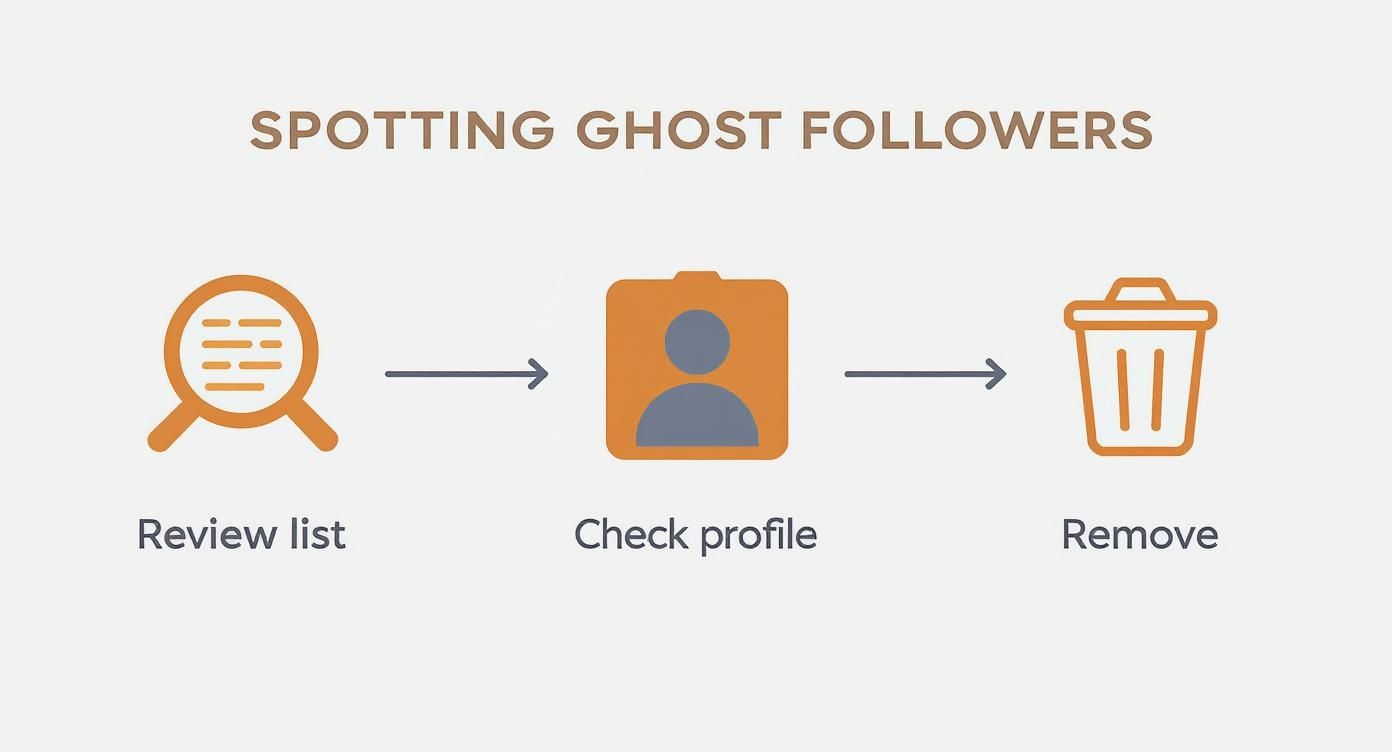
Even with a data-driven list, a quick manual spot-check is a smart final step before you start removing followers.
| Method | Best For | Pros | Cons |
|---|---|---|---|
| Manual Review | Accounts with < 1,000 followers | No cost, high accuracy, no security risk | Extremely time-consuming, not scalable |
| Tool-Based Analysis | Accounts with > 1,000 followers | Fast and efficient, data-driven decisions | Potential cost, requires vetting safe tools |
For any account looking to grow seriously, a tool-based approach is the only practical long-term solution. It frees up your time to focus on creating content rather than endlessly scrolling through follower lists.
The real magic of these tools is their ability to segment your audience. A quality IG follower export tool can deliver a clean CSV file of your entire follower list, packed with useful data points like follower count, following count, and post frequency. Once you have that data in a spreadsheet, the power is in your hands.
You can filter and sort to find exactly who you’re looking for. For example:
This kind of deep dive gives you concrete evidence to back up your decisions. No more guesswork — just clean, actionable data. You can be confident you're only cutting the dead weight.
The numbers don't lie. On average, about 15-20% of an account's followers go dormant each year. For fast-moving niches like fashion and beauty, that figure can jump to 25%. By using analytics to monitor these metrics and systematically clean house, brands often see a 15-25% improvement in their overall engagement rates.
At the end of the day, using tools to find inactive followers is about working smarter, not harder. It empowers you to maintain a high-quality audience, which is the true foundation for sustainable growth and a thriving community on Instagram.
Alright, you've done the hard work of identifying your ghost followers. But that's just the start. A smart action plan turns this one-time cleanup into a continuous strategy for keeping your audience healthy and your growth on track.
The main task is removing inactive accounts, but you have to be careful.
If you rush it, you risk getting your account flagged. Instagram is always on the lookout for aggressive, bot-like activity, and suddenly dropping hundreds of followers is a massive red flag. The only way to do this safely is by removing accounts in small, consistent batches over time.
Think of it less like a massive purge and more like daily maintenance. Aim to remove no more than 50-100 accounts per day. This slow-and-steady approach keeps your account in good standing with the algorithm while you methodically clean up your follower list.
Not every inactive follower is a lost cause. Some might just be quiet observers, or maybe they just took a break from the app for a while. Before you go on a removal spree, think about running a re-engagement campaign for accounts in the gray area — the ones who aren't obvious bots but have gone completely silent.
You can segment these users for one last targeted push:
If they still don't engage after a few genuine attempts, you can confidently move them to the removal list. To get granular, check out the best IG follower export tool comparison to segment your audience lists effectively for campaigns like these.
Once you have a cleaner, more engaged follower list, your content's performance will look completely different. Pay close attention to your analytics in the weeks after your cleanup.
The insights you get from a highly engaged audience are gold. Your likes, comments, and shares are no longer being watered down by inactive accounts, giving you a true measure of what actually connects.
Use this fresh data to double down on your best-performing content formats and topics. A smaller, more active community gives you the precise feedback loop you need to create posts that consistently hit the mark, turning your audit from a simple cleanup into a powerful engine for long-term growth.
Shrinking your follower count can feel nerve-wracking. Here are the most common questions to help you move forward with confidence.
No — it helps. The Instagram algorithm cares way more about your engagement rate than your raw follower count.
When you cut out thousands of inactive or fake followers, your engagement rate naturally climbs because the people who do see your content are your actual fans. A higher percentage of them interact, signaling to the algorithm that your content is valuable.
A smaller, highly engaged audience is infinitely more valuable than a massive, silent one. Would you rather present in a stadium of 10,000 people where only 100 are listening, or in a room of 1,000 where every single person is captivated?
There's no single magic number, but a deep clean once or twice a year is a solid baseline. If your account is growing fast or you're in a rapidly changing niche, a lighter quarterly check-in helps keep things tidy.
The key is consistent maintenance. Instead of letting ghost followers pile up for a massive annual cleanup, make it a small weekly habit. Spend 10 minutes removing any obvious bots or spam accounts that followed you recently to keep your audience healthy in real-time.
Try this cadence:
Patience is your best friend. If you go on a rampage and remove thousands of followers in an hour, you risk triggering Instagram's spam filters.
The safest approach is to work in small, consistent batches.
Aim to remove no more than 50-100 followers per day. This pace mimics natural user activity and keeps your account in good standing with the algorithm. It’s a marathon, not a sprint, and this methodical process of finding inactive Instagram followers and removing them carefully is what protects your account for the long haul.
Ready to stop guessing and start analyzing? With Instalab AI, you can export your entire follower list into a clean, actionable spreadsheet in just a few clicks. Transform your data into a powerful growth strategy by visiting instalab.ai or jumping straight into the IG follower export tool.
